Using laser cutter
Model
The laser cutter in Make Reality Space is Trotec Speedy 300.
Hardware process
1. Locate the fire extinguisher.
2. Turn on the laser cutter.
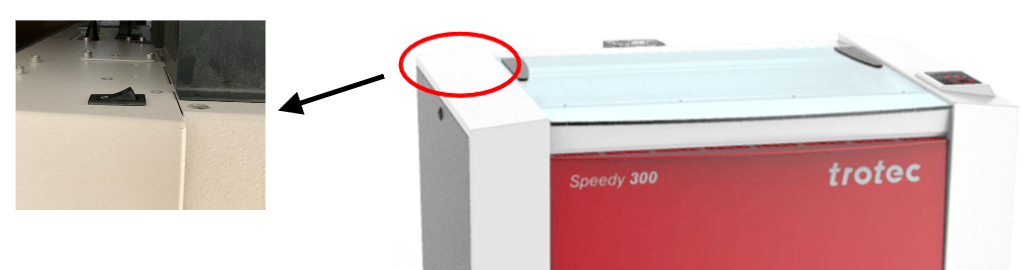
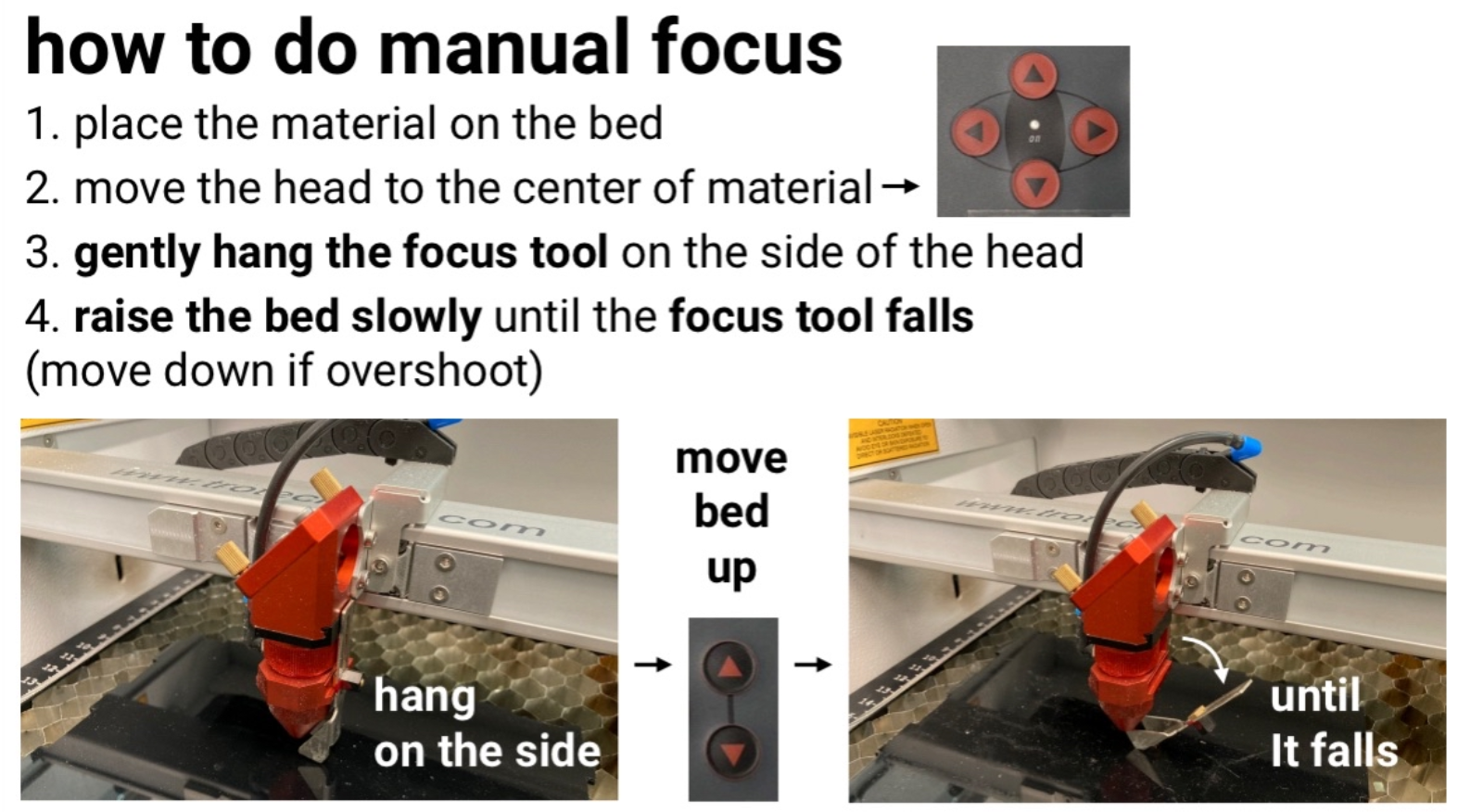
3. Place material on the bed and do manual focus.
Software process
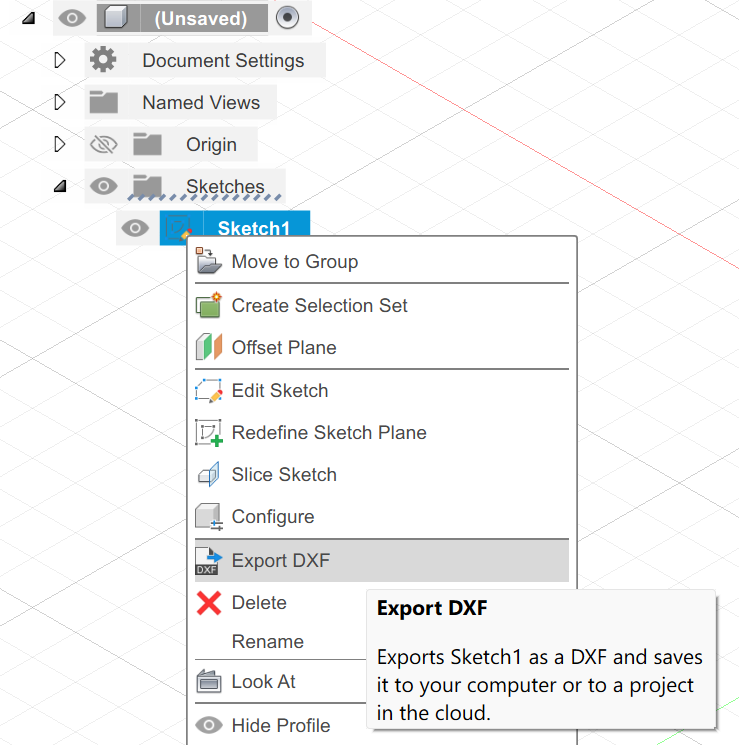
1. Export the sketch in Fusion as DXF, uncheck points and constructive lines.
2. On the makerspace laptop, open DXF with Adobe Illustrator. Select Original Size. In Illustrator, you can use Alt + mouse wheel to zoom in and out, and click middle mouse wheel to pan.
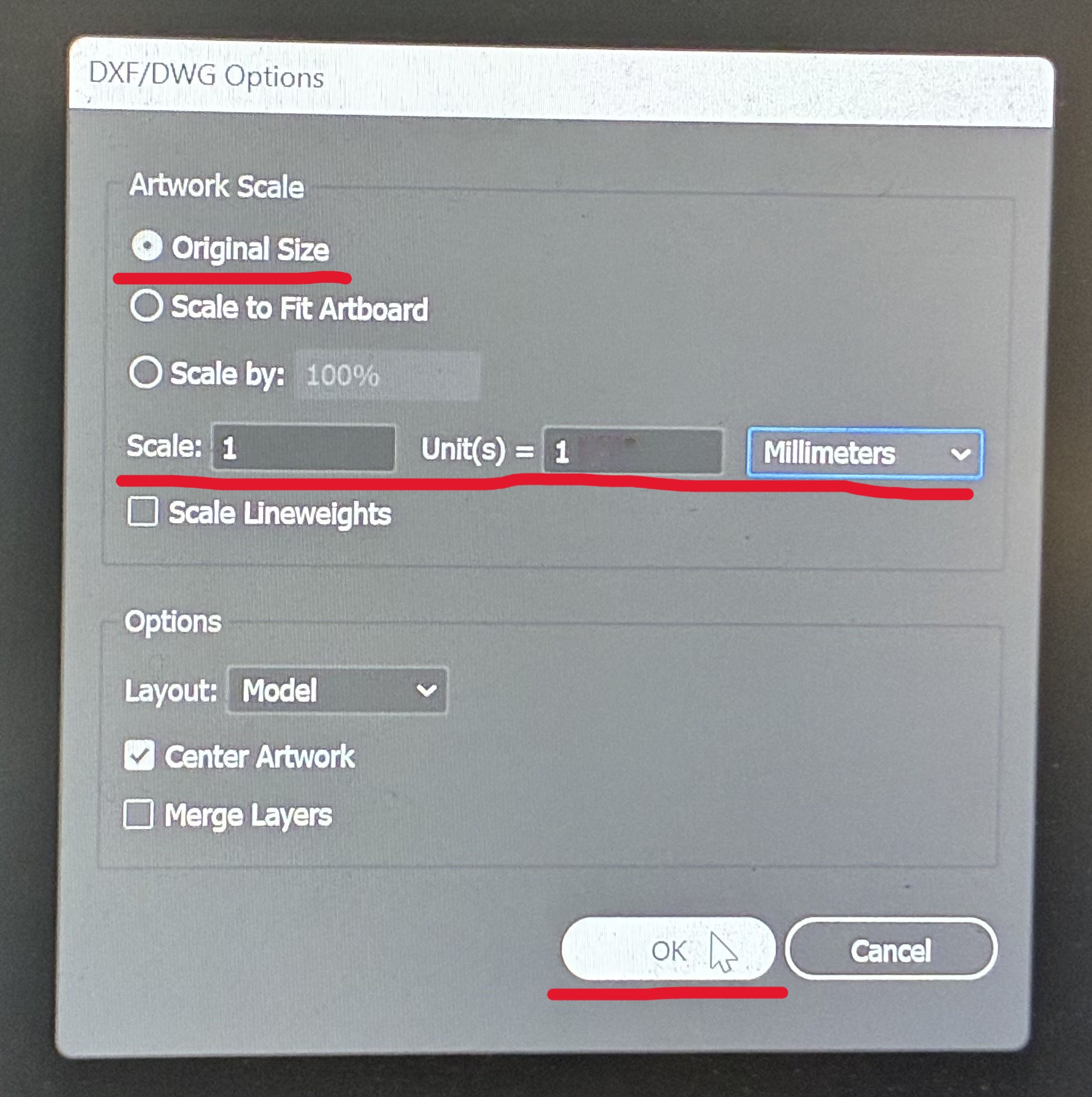
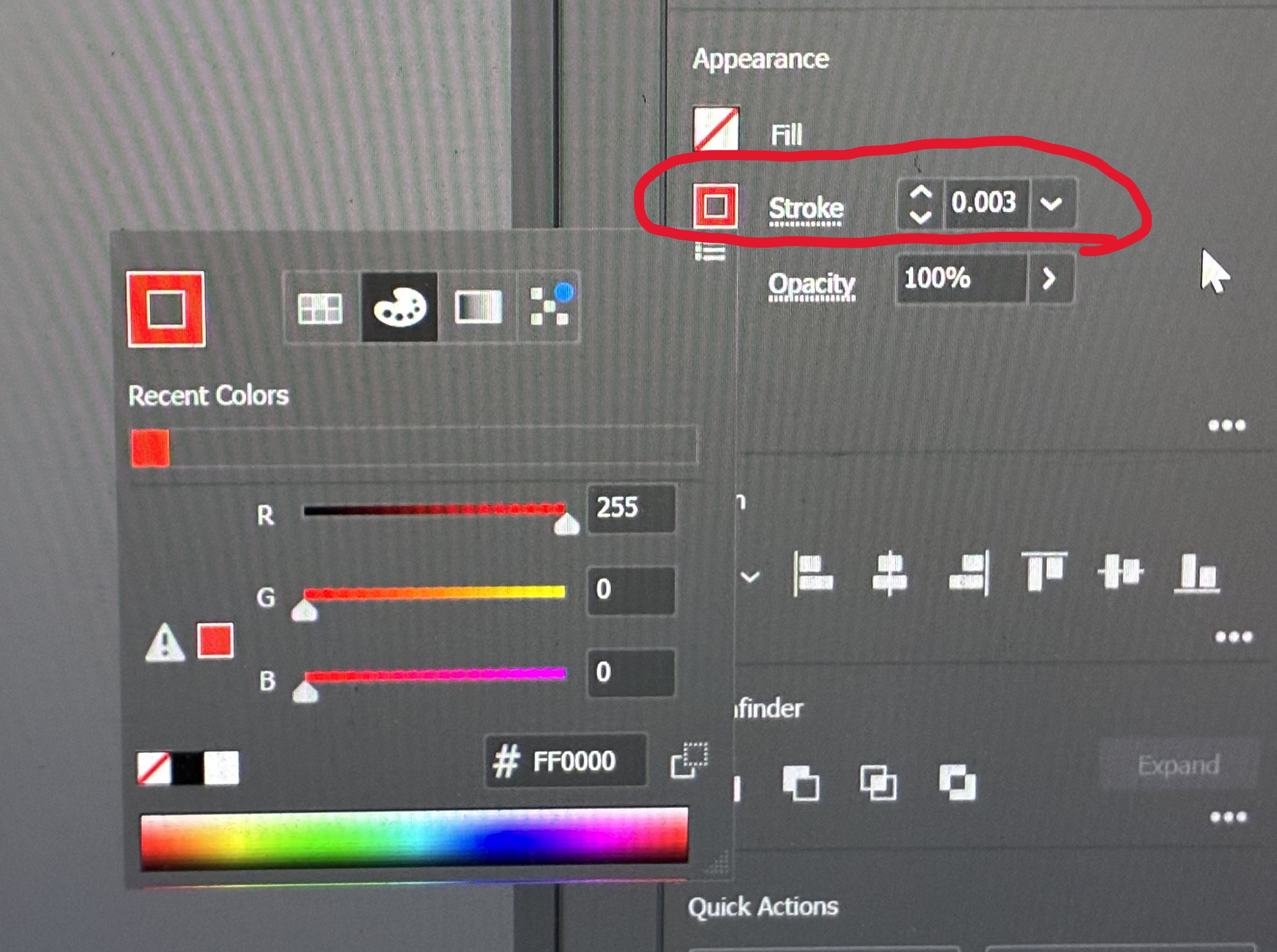
3. Make sure no additional lines such as refernce lines are there. Select all lines, change the stroke color to red, RGB(255, 0, 0), and thickness to 0.003 pt (Find Stroke settings in Illustrator). This the the setting for cutting.
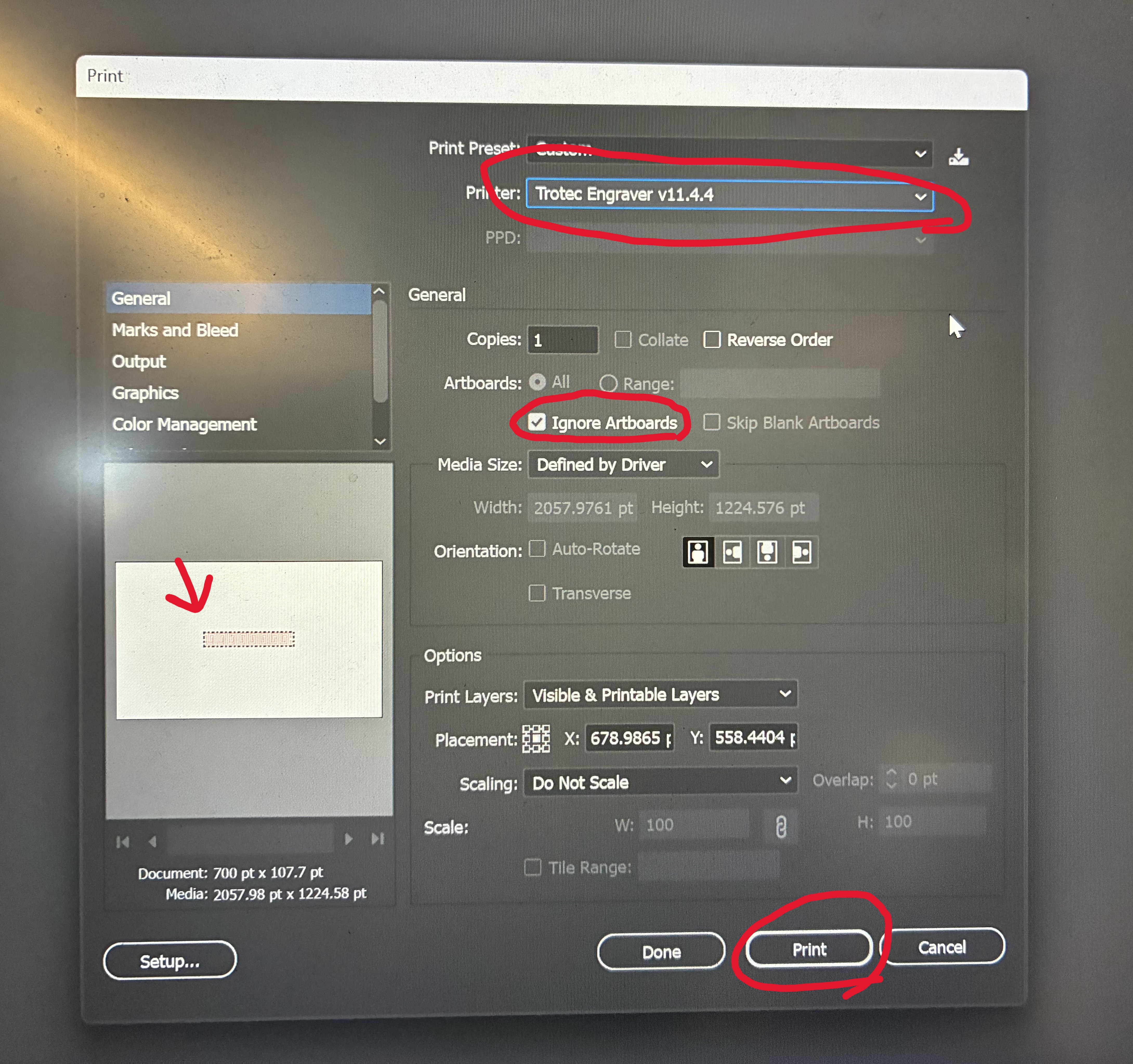
4. Find Illustrator Menu bar and select Print. Select printing to Trotec Engraver
5. Wait until the file is sent to JobControl. In JobControl drag your file into the canvas:
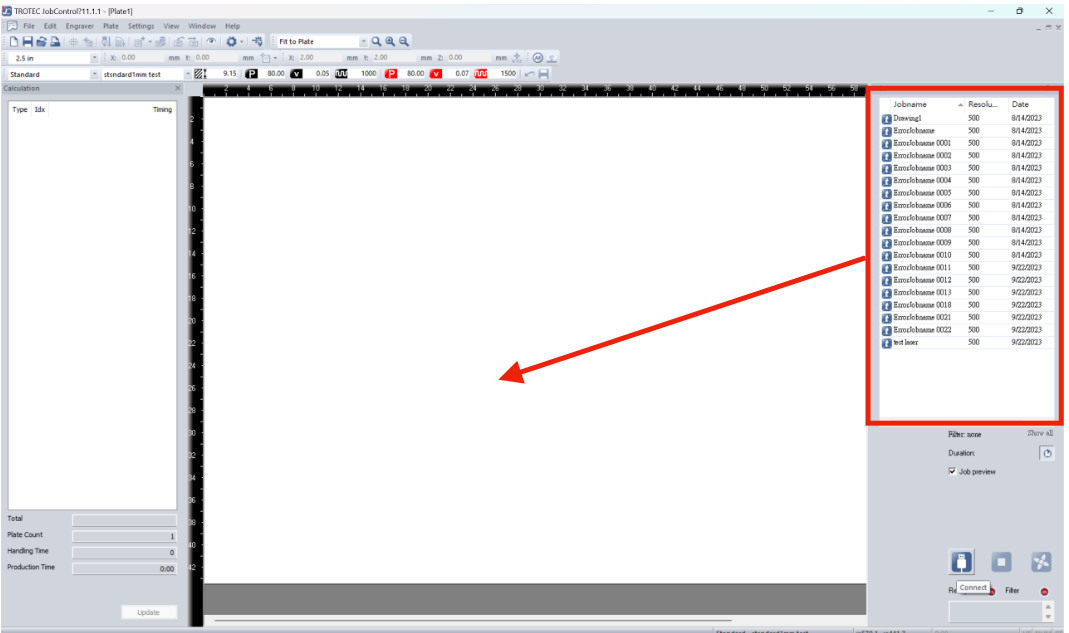
You can toggle Eye button on the menu bar to reveal the pattern. Make sure this is what you expected.

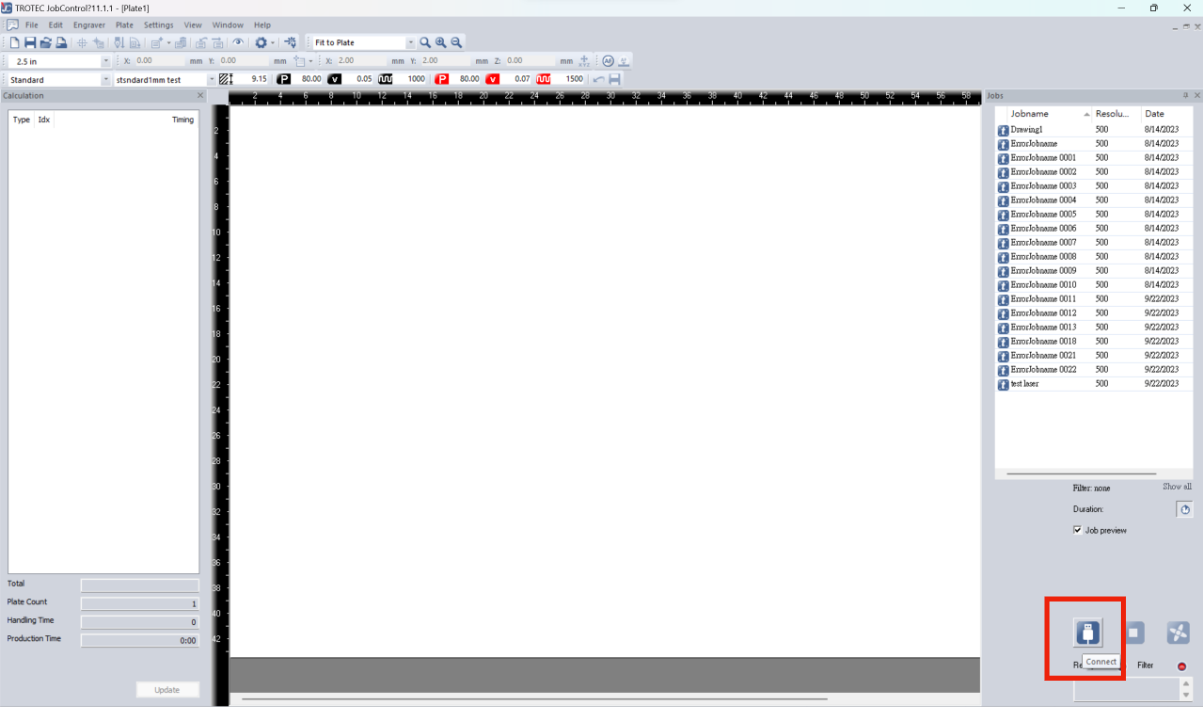
6. If the laser cutter has not connected to the laptop, click USB icon to connect. Wait until the lasercutter beeps twice.
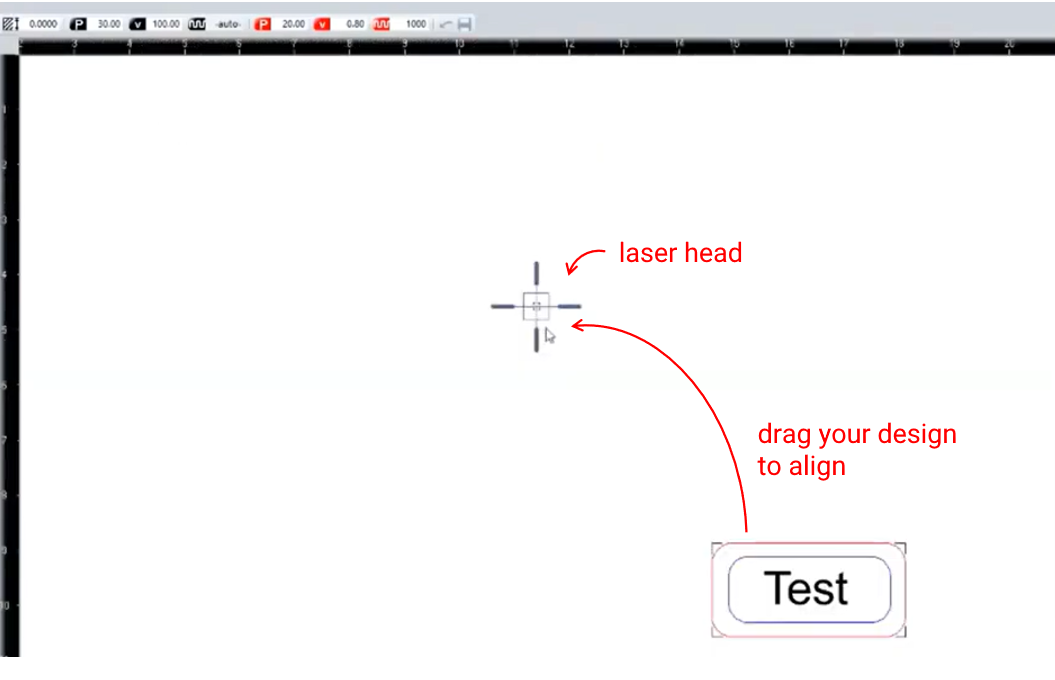
7. Move the design to align with the head.
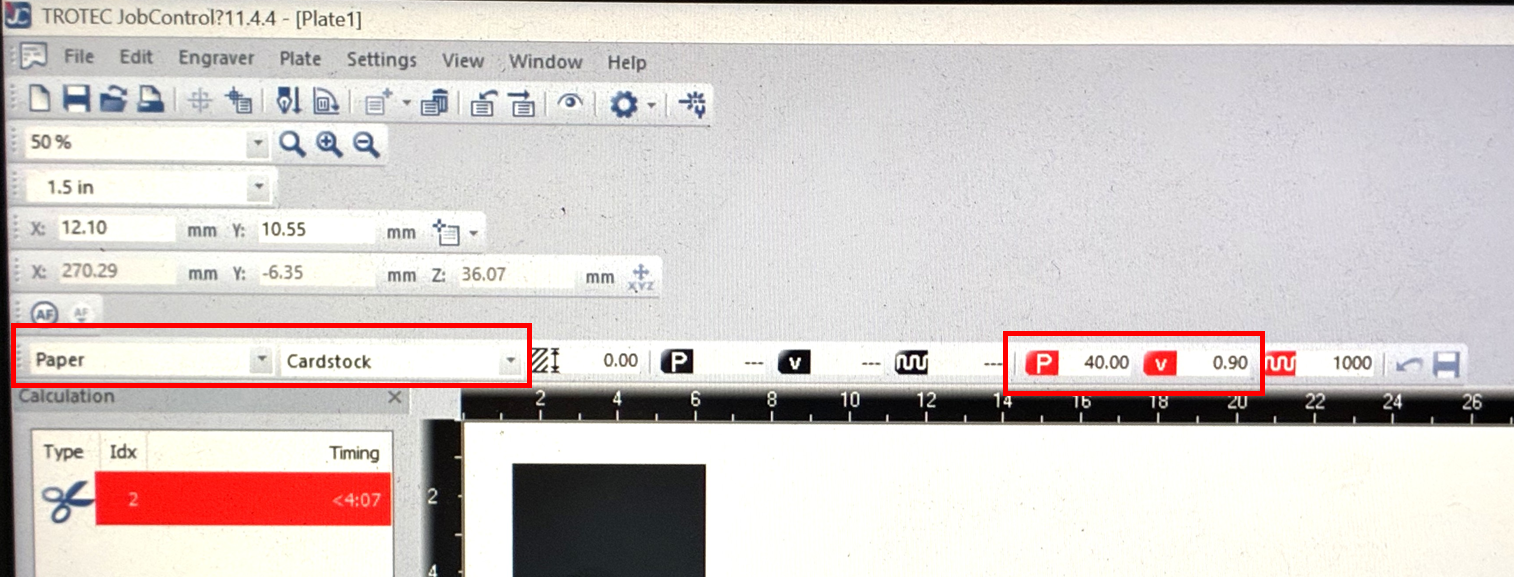
8. Select Paper\Cardstock from the preset, set Power and Speed in red (cutting), for cardboard, set power 40% and speed 0.9.
9. Click Play button to start.