Make a multitouch array
Arduino Pro Micro
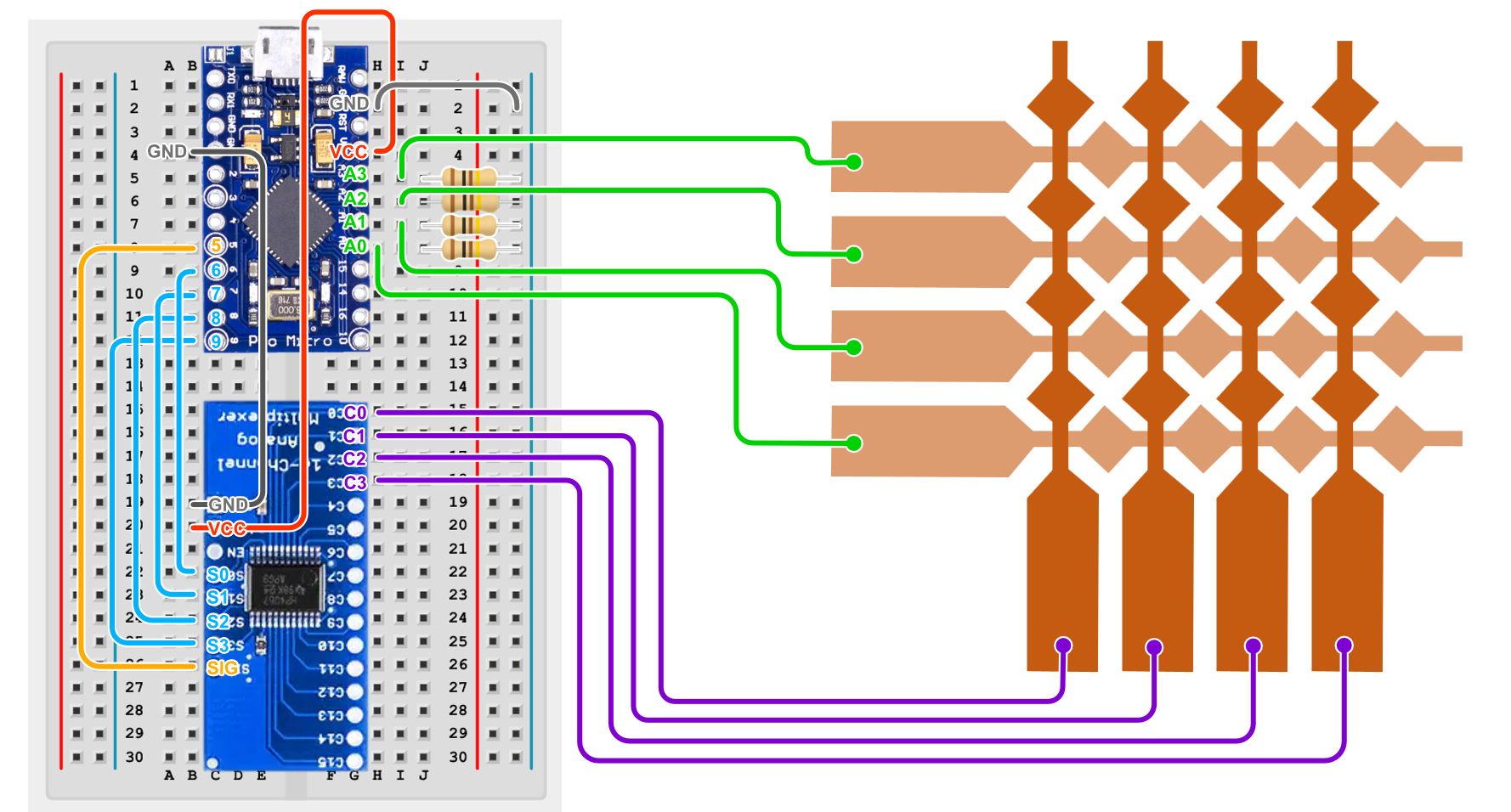
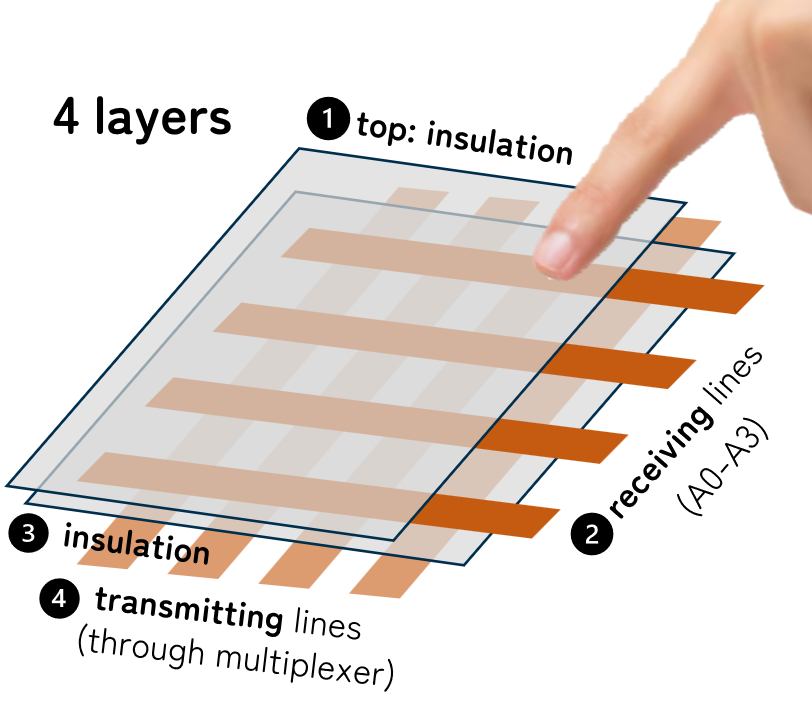
Sensor using copper tapes
Arduino code
Using custom Multi-Touch library (see Arduino page).
#include <MultiTouchKit.h>

// Multiplexer input pins
int s0 = 6;
int s1 = 7;
int s2 = 8;
int s3 = 9;

int muxPins[4] = {s3, s2, s1, s0};

// Number of receiver (RX) and transmitter (TX) lines
int RX_num = 4;
int TX_num = 4;

// Receive raw capacitance data or touch up/down states
boolean raw_data = true;
int threshold = 40;

// MultiTouch Kit class
MultiTouchKit mtk;

void setup() {
    Serial.begin(115200);
    mtk.setup_sensor(RX_num, TX_num, muxPins, raw_data, threshold);
}

void loop() {
    const MTKRow* values = mtk.read(true);
}
Processing code
Menu Files > Examples > Contributed Libraries > Multi Touch Kit > MTK_example
Change RX, TX to 4, and serialPort to 0:
int tx = 4;               //number of transmitter lines (rx)
int rx = 4;               //number of receiver lines (rx)
You need to change the following according to your computer connection:
int serialPort = 0; //serial port that the Arduino is connected to
Port number is the 0-base index of the port, not the actual number/name.
How to know which Serial port:
Run this code in a new Processing sketch, and see which order is the one that you see in Arduino show up:
println(Serial.list());
Processing window stuck in “Calibration”
Check your serial port.
Out of bound error
Wait and try again.
Processing visualization flashing rapidly
Check your grounding on your breadboard.
Still unstable
Unplug AC power of your laptop from the wall.